This post is about giving your WeCom (WeChat Work) app a fixed API forwarding endpoint. Callers hit your own domain, and Caddy forwards the request to qyapi.weixin.qq.com. This is not a workaround for logging into WeCom, and it doesn't bypass app permissions or the access restrictions in your admin console.
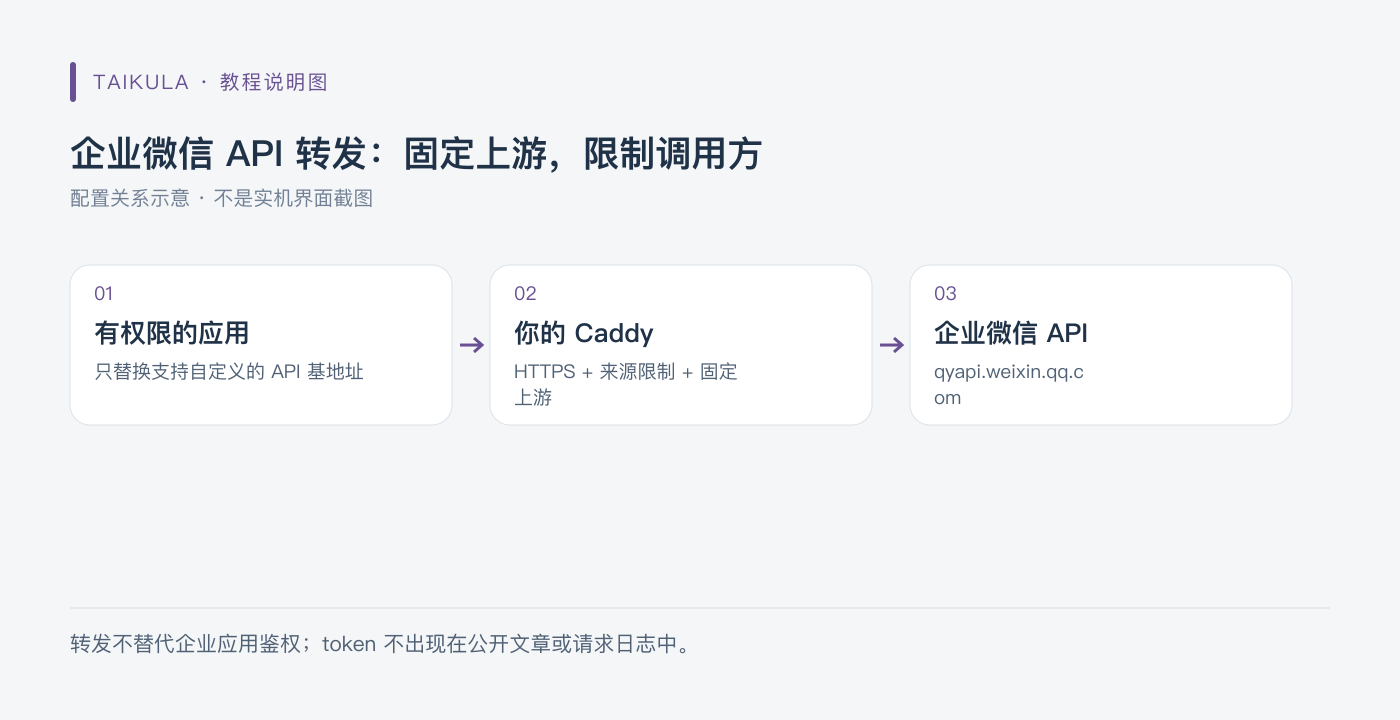
Diagram: WeCom API forwarding — fixed upstream, restricted callers
Set up a domain and server
Get a server that can reach the WeCom API, and point your domain at it. This post uses wecom.example.com as a placeholder — you'll need to swap in a real domain when you deploy. You should also check the server's actual outbound IP against the relevant restrictions in your admin console; there's no rule that says you have to use an overseas server.
The public endpoint should use HTTPS. For Caddy to obtain a certificate automatically, your DNS records and the validation ports need to be working properly. Don't cut corners by sending calls that contain an access_token over plain HTTP.
Caddyfile
The config below allows exactly one caller public IP. 198.51.100.10 is a documentation example address — you must replace it, not use it as-is.
wecom.example.com {
    @allowed remote_ip 198.51.100.10
    handle @allowed {
        reverse_proxy https://qyapi.weixin.qq.com {
            header_up Host {upstream_hostport}
        }
    }
    handle {
        respond "Forbidden" 403
    }
}
This config pins the upstream — it is not an open proxy that lets clients specify any destination they want. The allowlist matches against the source IP that Caddy actually sees; if there's a CDN or another proxy in front, you can't just copy that value over as the real client address — you'll need to plan out a trusted proxy chain separately.
header_up Host {upstream_hostport} isn't a required line in every version. As of Caddy 2.11, HTTPS upstreams get automatic Host handling; it's written out explicitly here to illustrate the request relationship and for compatibility with other configs. Don't treat an explicit Host setting as a requirement across all versions.
Run it with the official Caddy image
services:
  caddy:
    image: caddy:2
    restart: unless-stopped
    ports:
      - "80:80"
      - "443:443"
      - "443:443/udp"
    volumes:
      - ./Caddyfile:/etc/caddy/Caddyfile:ro
      - caddy_data:/data
      - caddy_config:/config
volumes:
  caddy_data:
  caddy_config:
Prepare the real Caddyfile first, then check the config:
docker compose run --rm caddy caddy validate --config /etc/caddy/Caddyfile --adapter caddyfile
docker compose up -d
docker compose logs --tail=100 caddy
htnanako/wxproxy is a different third-party proxy container, not the official Caddy image. They're two separate deployment approaches — don't conflate them into a single service.
When integrating an app, only swap the API base URL
If your app originally calls https://qyapi.weixin.qq.com/cgi-bin/... and it supports a custom WeCom API address, change it to your own https://wecom.example.com/cgi-bin/.... Keep the paths and business parameters as required by the WeCom API.
Don't put your WeCom secret, access_token, or message bodies into public examples. Before you enable request logging, think about the token in the query string — and blur it out in any troubleshooting screenshots too. First confirm the source restriction with a request that contains no real credentials, then run your authorized API tests in your own environment.
A Discord invite link is not a webhook. The two integrate differently — you can't use an invite URL as a message API.
References: Caddy install, reverse_proxy, WeCom developer docs. This post has been checked against the docs and config structure, but nothing was actually deployed or sent on your server.