During the outage in 2023, the cloudflared container kept reporting QUIC connection timeouts, and the site went down with it. Switching to HTTP/2 restored the connection. That fix works as a diagnostic step, but it doesn't prove the ISP is blocking UDP, and it doesn't mean the current version won't fall back on its own.
What the logs tell you
The key error at the time was:
Failed to create new quic connection
failed to dial to edge with quic: timeout: no recent network activity
This tells you the QUIC connection didn't succeed. Those two lines alone don't prove the ISP is blocking UDP. The host firewall, router, network policies, and the link conditions at the time are all worth checking too.
QUIC runs over UDP, so cloudflared needs outbound UDP 7844 when using QUIC; HTTP/2 uses outbound TCP 7844. --protocol auto is the current default: it tries QUIC and falls back to HTTP/2 if the connection can't be established. Don't read persistent QUIC timeouts as the software failing to switch automatically.

Diagram: cloudflared — auto is the current default protocol choice
Temporarily forcing HTTP/2
If the logs keep showing QUIC timeouts, you can explicitly set --protocol http2 and see whether the connection recovers. The example below uses a token file so the tunnel token isn't written directly into the Compose command:
services:
  cloudflared:
    image: cloudflare/cloudflared:latest
    restart: unless-stopped
    command: tunnel --no-autoupdate --protocol http2 run --token-file /run/secrets/tunnel_token
    volumes:
      - ./tunnel-token:/run/secrets/tunnel_token:ro
--token-file requires cloudflared 2025.4.0 or later. First create a real file containing your own token and set permissions so only the necessary accounts can read it. Also make sure the user the container runs as can read it — it won't work if only root can read it but the container runs as non-root. Don't commit this file to Git or sync it to a public directory.
docker compose up -d
docker compose logs --tail=100 cloudflared
Before recreating the container, make sure you have a working management path in. A successful log should show Registered tunnel connection along with the protocol in use. This is a way to observe things, not a screenshot of a result newly produced for this article.
HTTP/2 also needs a corresponding outbound TCP connection. If TCP 7844 is blocked too, changing the parameter won't help. Tunnels don't require you to add an inbound port mapping for 7844 on your home router.
The tunnel is online, but the site still won't load
A healthy connection from cloudflared to the Cloudflare edge only means the first hop is fine. You also need to check whether cloudflared can reach the origin you configured.
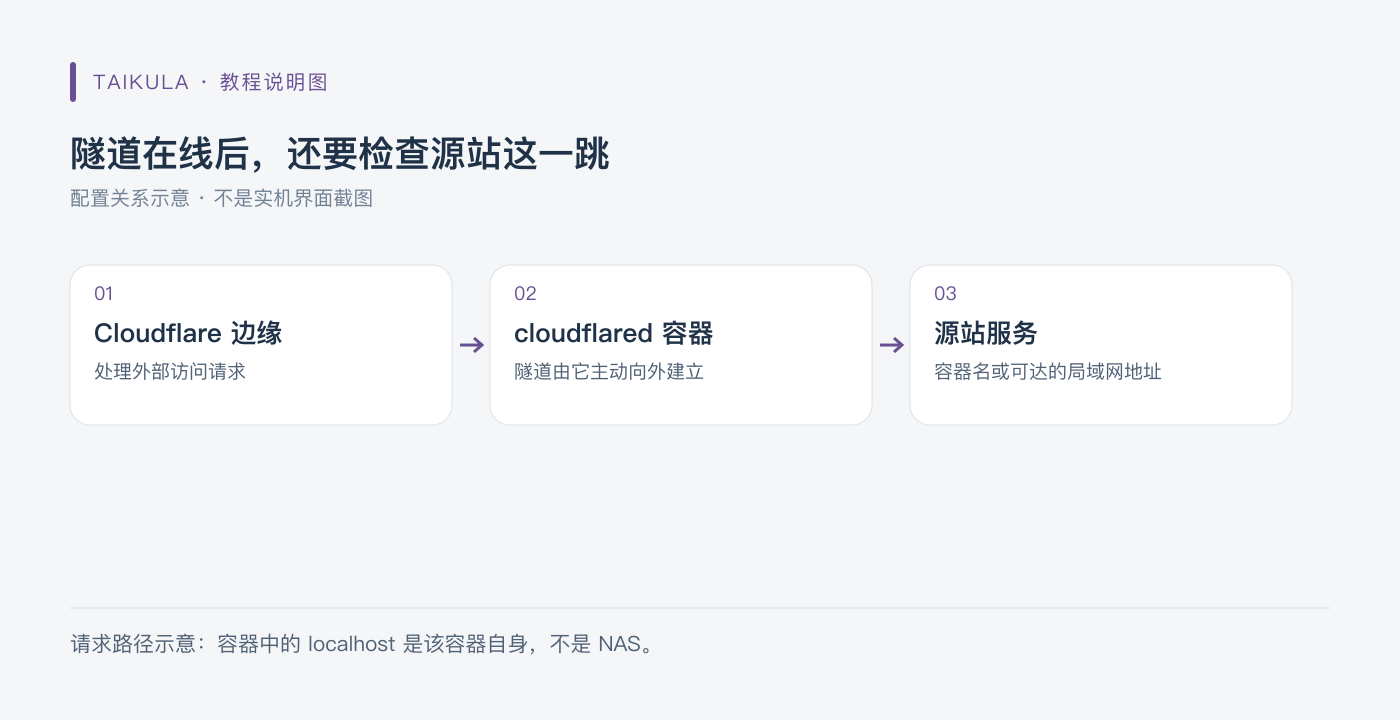
Diagram: once the tunnel is online, you still need to check the origin hop
If cloudflared runs in Docker, an origin written as localhost points to its own container, not your NAS. If the origin is another container, put them on the same Docker network as appropriate and use the service name. If the origin is on a machine on your LAN, use an address and port the container can actually reach. Then check the origin's protocol and certificate rather than just disabling all certificate verification.
This article walks through the 2023 outage to explain the current default protocol behavior, ports, and credential handling. The configuration examples were checked against the documentation but not tested on a real Tunnel.
References: Run parameters, Firewall requirements.